Moviik
0
Modules

Digital Ticket Queueing

A smarter digital ticketing experience: your customers can join the queue from their phone, see their position in real time, and control their time, with Moviik’s cloud platform.
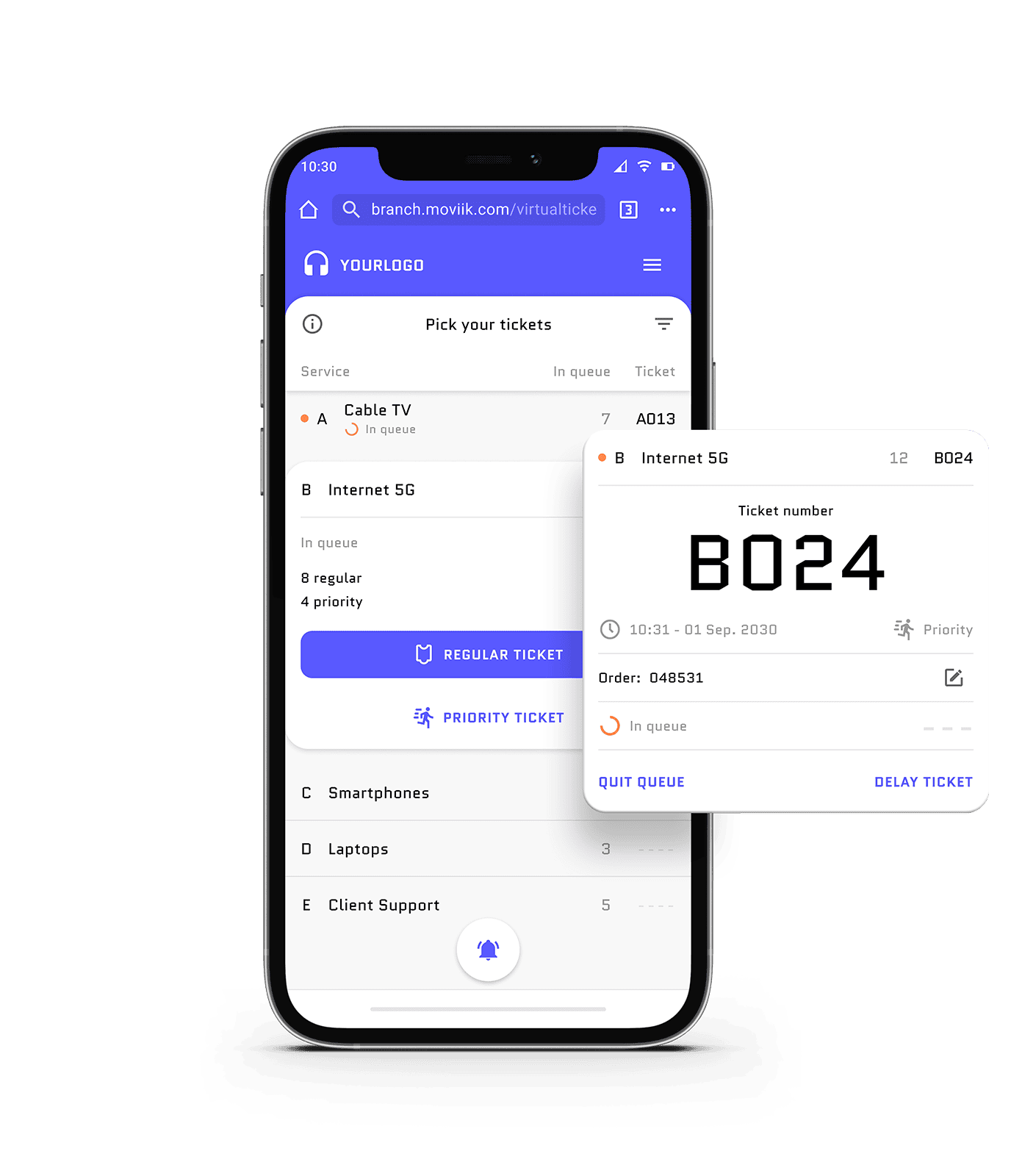
See Digital Ticket in action
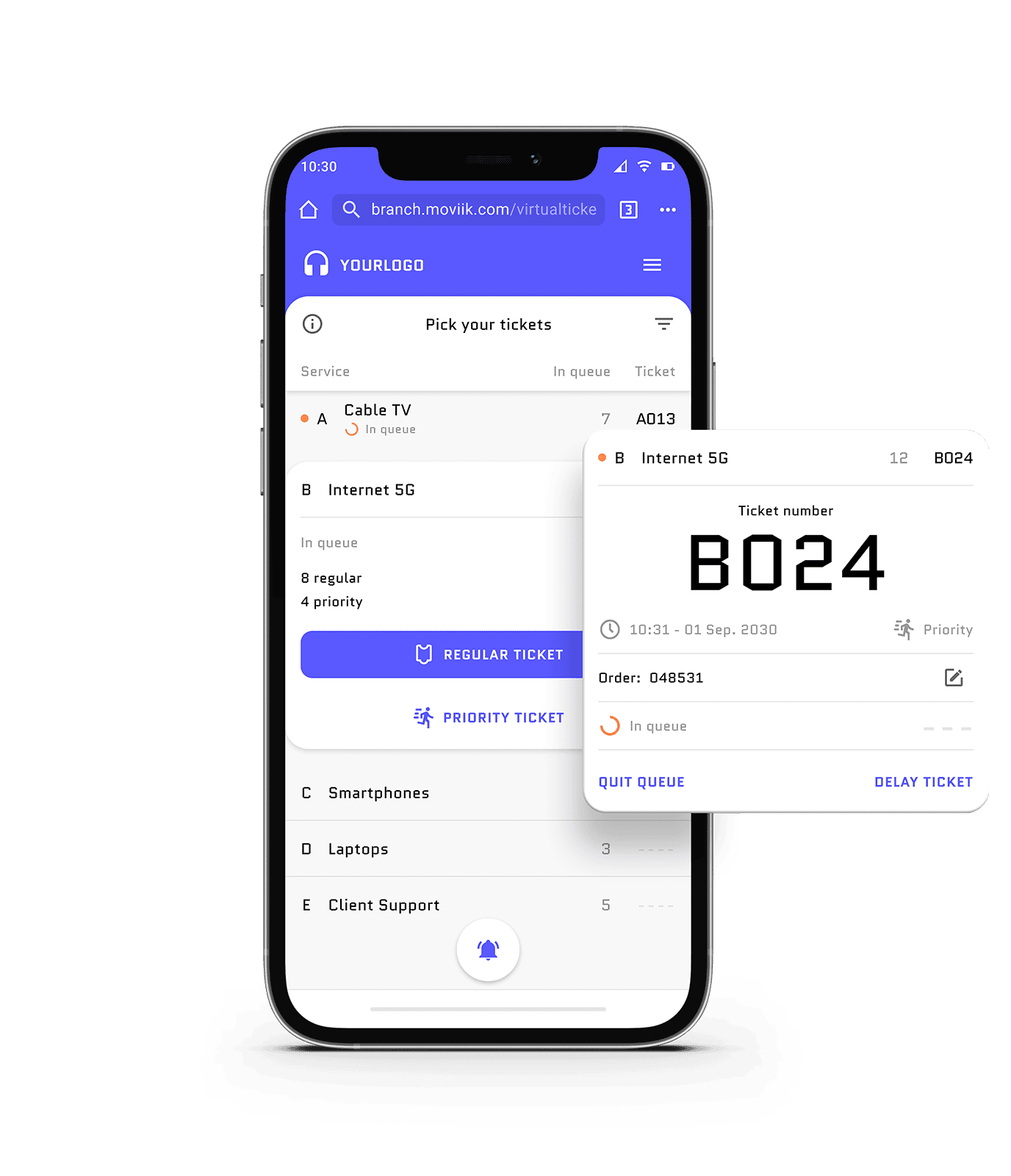
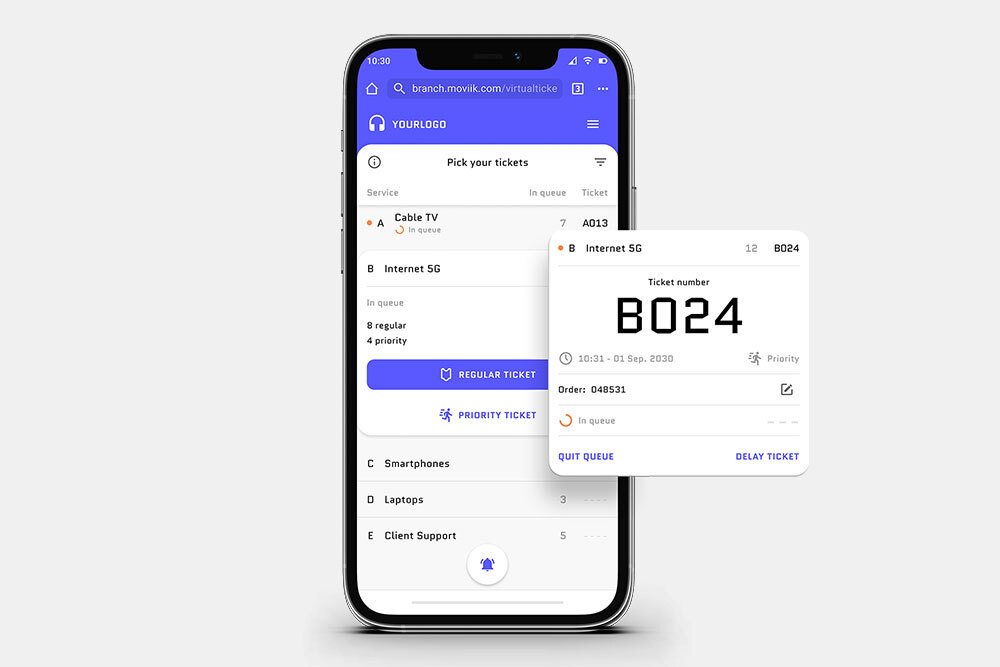
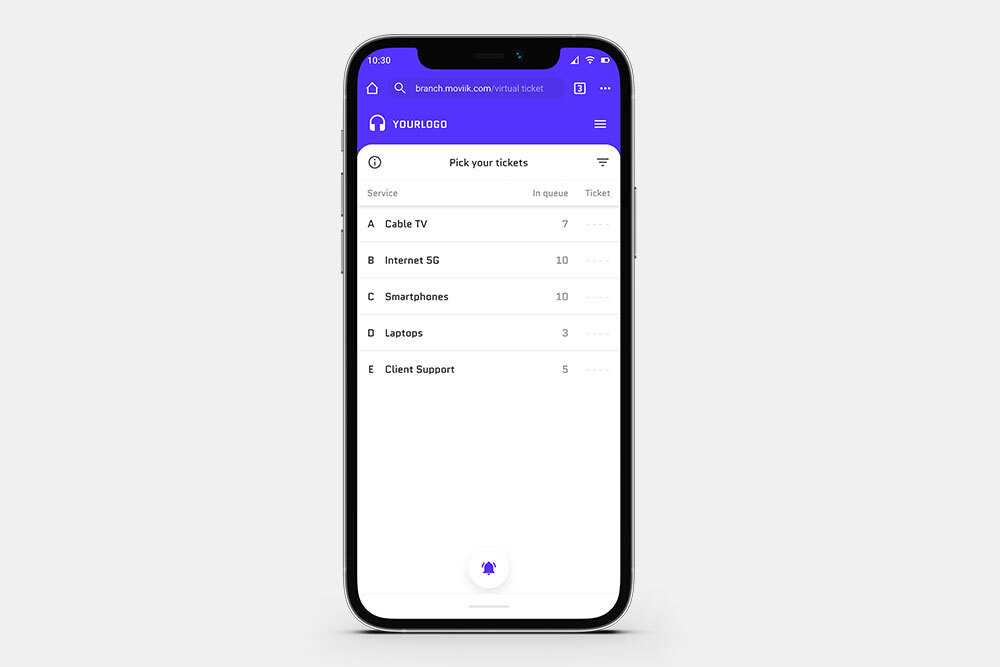
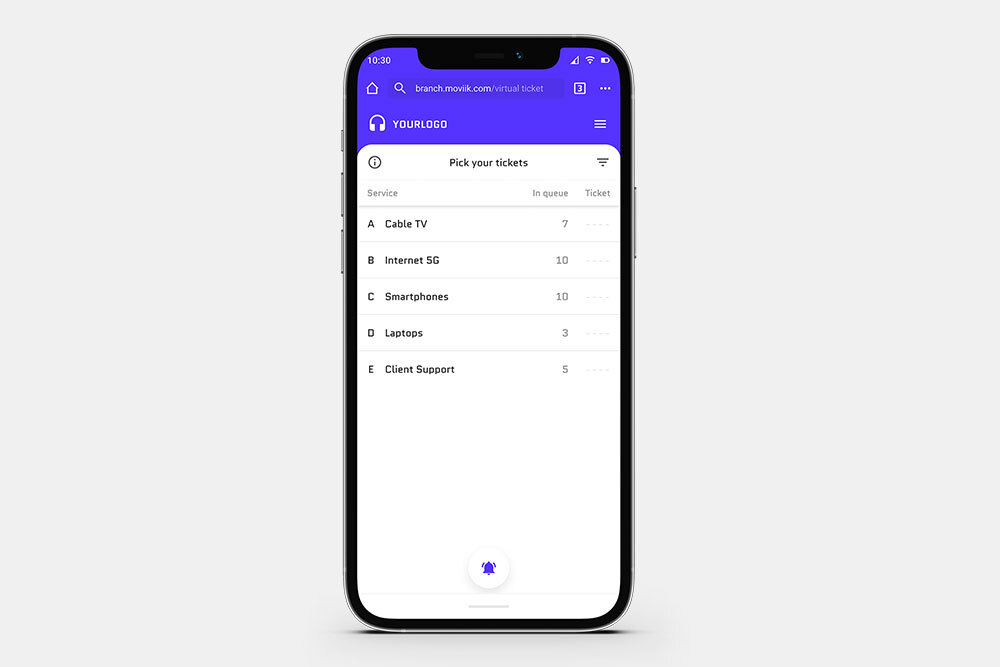
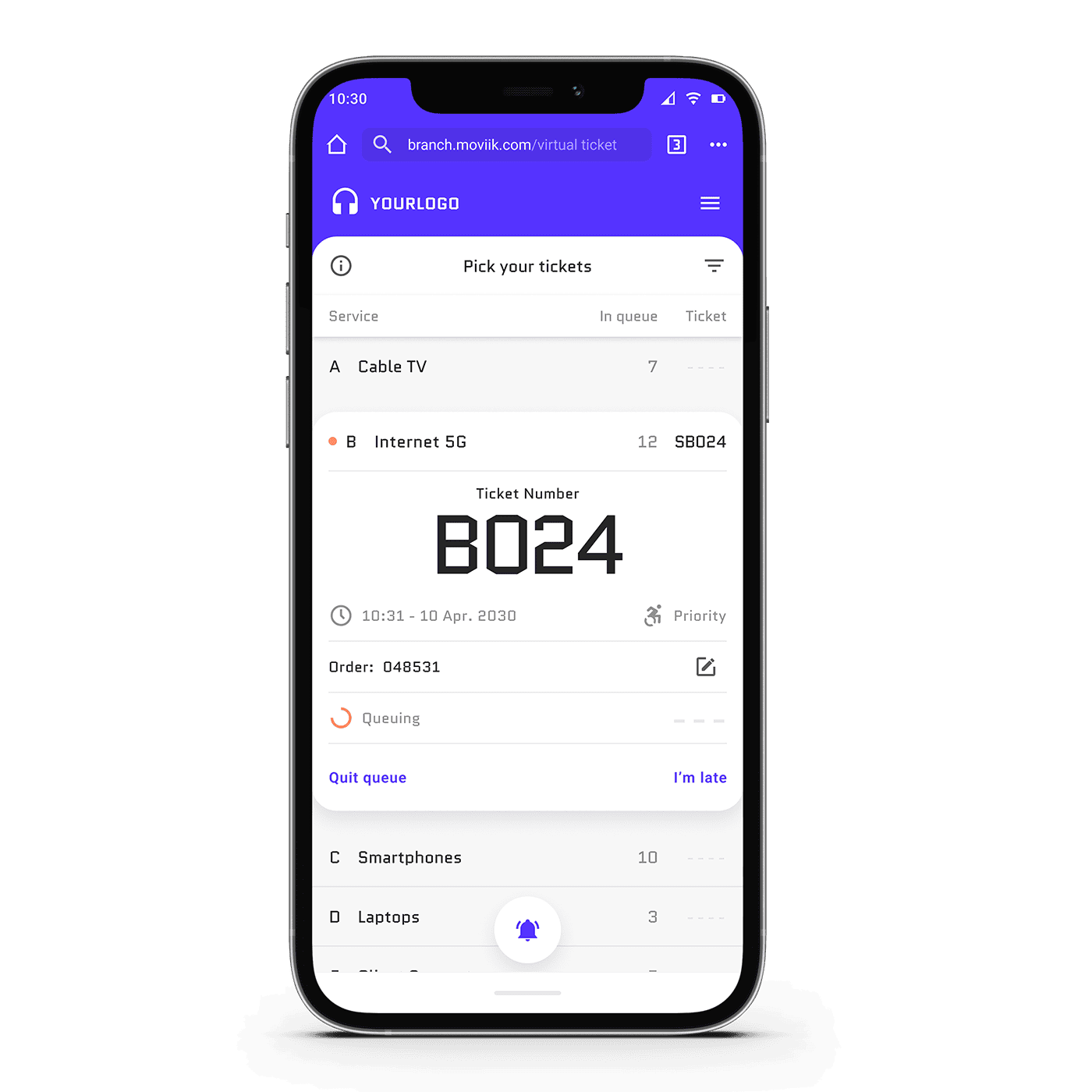
Smartphone showing Moviik Digital Ticket web app with queue position and service details, illustrating digital ticketing on any device.
Modules

Digital Ticket Queueing

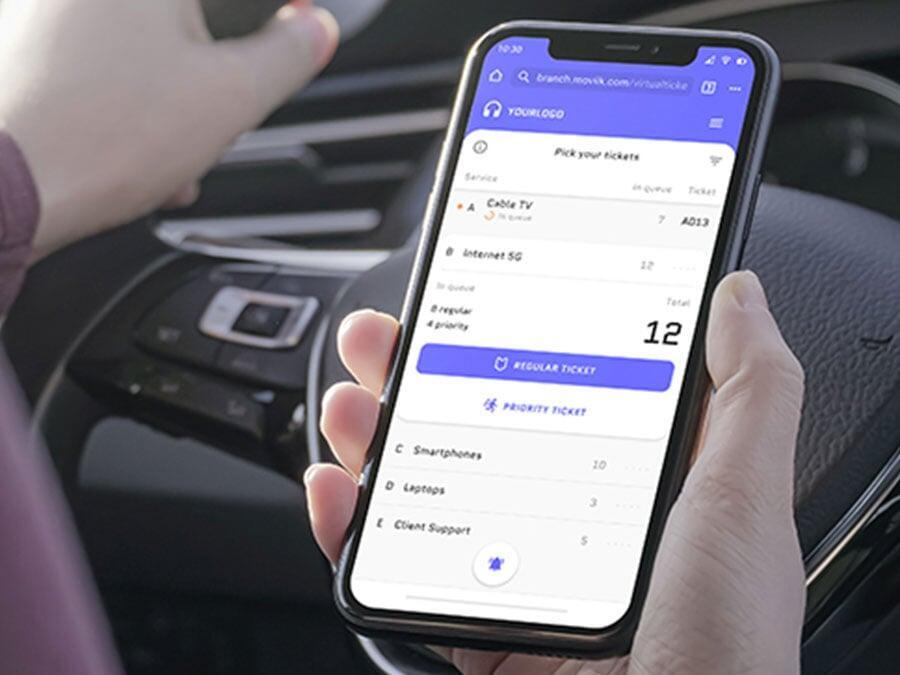
Smartphone showing Moviik Digital Ticket web app with queue position and service details, illustrating digital ticketing on any device.

A smarter digital ticketing experience: your customers can join the queue from their phone, see their position in real time, and control their time, with Moviik’s cloud platform.
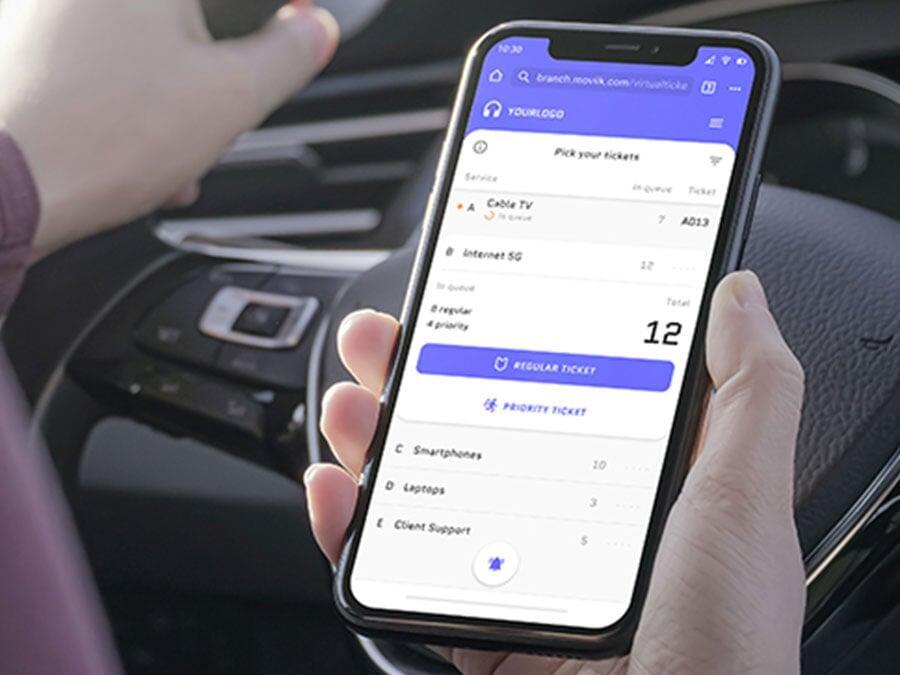
See Digital Ticket in action
Staff member attending a customer at a service counter using Moviik’s Counter interface to manage tickets.

Give customers control of their queue

Moviik Digital Ticket transforms how customers interact with your queue. They can join remotely, track their place in real time, and even delay their ticket if needed — giving them flexibility, control, and peace of mind.


For businesses, the workflow remains familiar, just like paper tickets, but now you deliver a modern, convenient experience that reduces in-store stress, keeps visitors informed, and reflects your brand as innovative and customer-focused.
Staff member attending a customer at a service counter using Moviik’s Counter interface to manage tickets.

Give customers control of their queue

Moviik Digital Ticket transforms how customers interact with your queue. They can join remotely, track their place in real time, and even delay their ticket if needed — giving them flexibility, control, and peace of mind.


For businesses, the workflow remains familiar, just like paper tickets, but now you deliver a modern, convenient experience that reduces in-store stress, keeps visitors informed, and reflects your brand as innovative and customer-focused.

Two easy ways to access your Digital Ticket

Customers can join the queue instantly — no downloads or setup required.
Whether they scan a QR code or request a link via SMS, access to the Digital Ticket web app is quick, simple, and works on any device.
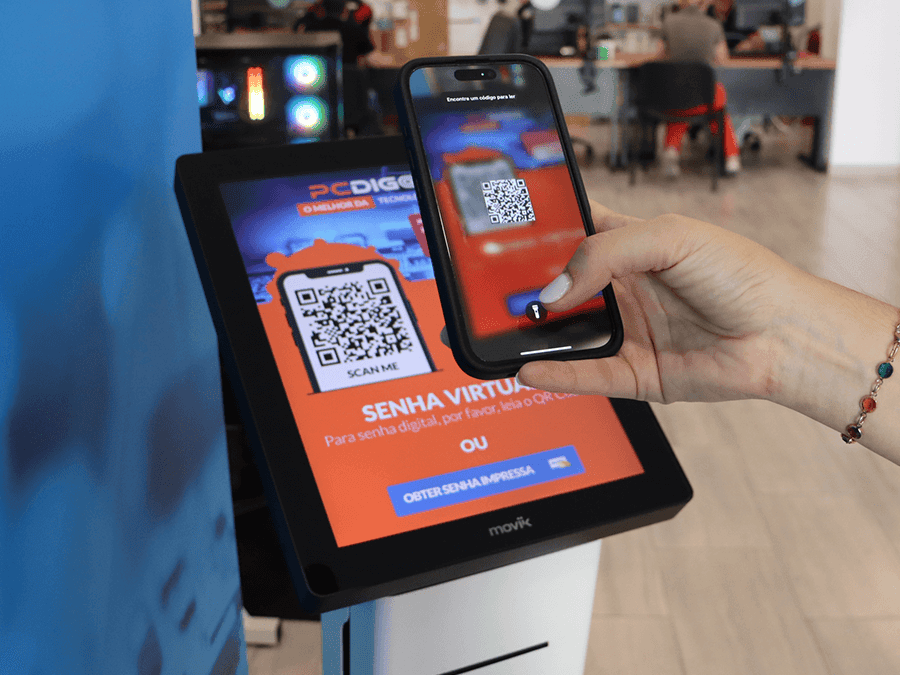
Person scanning a QR code with their smartphone to access the Moviik Digital Ticket web app.

QR Code

Modern and convenient: customers just scan the QR code to open the Digital Ticket web app automatically.
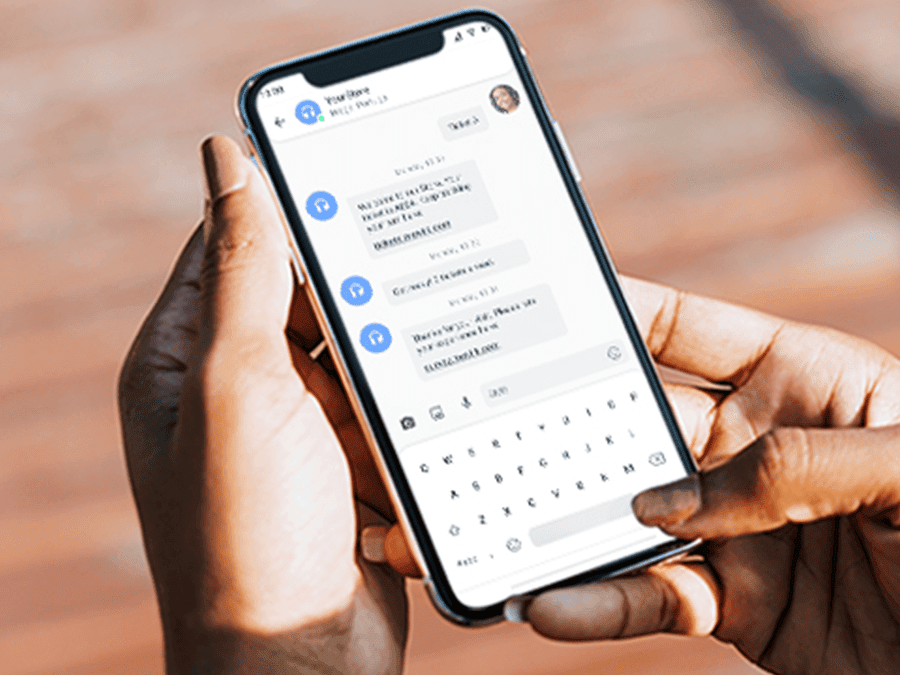
Smartphone screen showing an SMS message with a link to open the Moviik Digital Ticket web app.

Web Link (SMS)

Ideal for those who prefer simplicity: customers send an SMS to receive a direct link to the web app.

Two easy ways to access your Digital Ticket

Customers can join the queue instantly — no downloads or setup required.
Whether they scan a QR code or request a link via SMS, access to the Digital Ticket web app is quick, simple, and works on any device.

Person scanning a QR code with their smartphone to access the Moviik Digital Ticket web app.

QR Code

Modern and convenient: customers just scan the QR code to open the Digital Ticket web app automatically.
Smartphone screen showing an SMS message with a link to open the Moviik Digital Ticket web app.

Web Link (SMS)

Ideal for those who prefer simplicity: customers send an SMS to receive a direct link to the web app.

Smart features for modern queueing

Make queueing simple with tools that keep customers connected, informed, and in control — from the moment they join the queue until it’s their turn to be served.
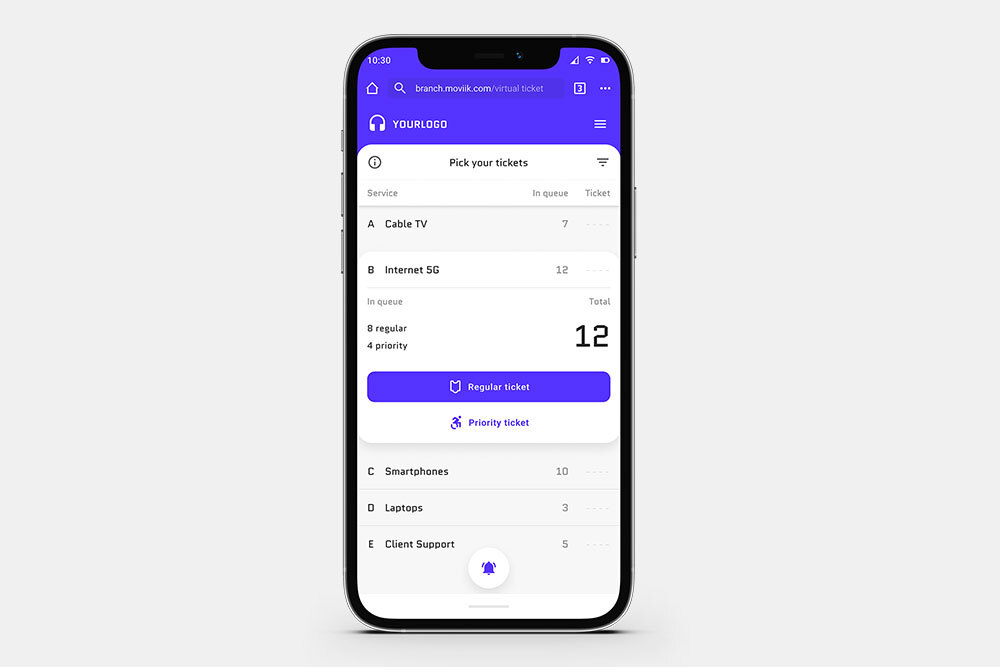
QR & SMS Entry
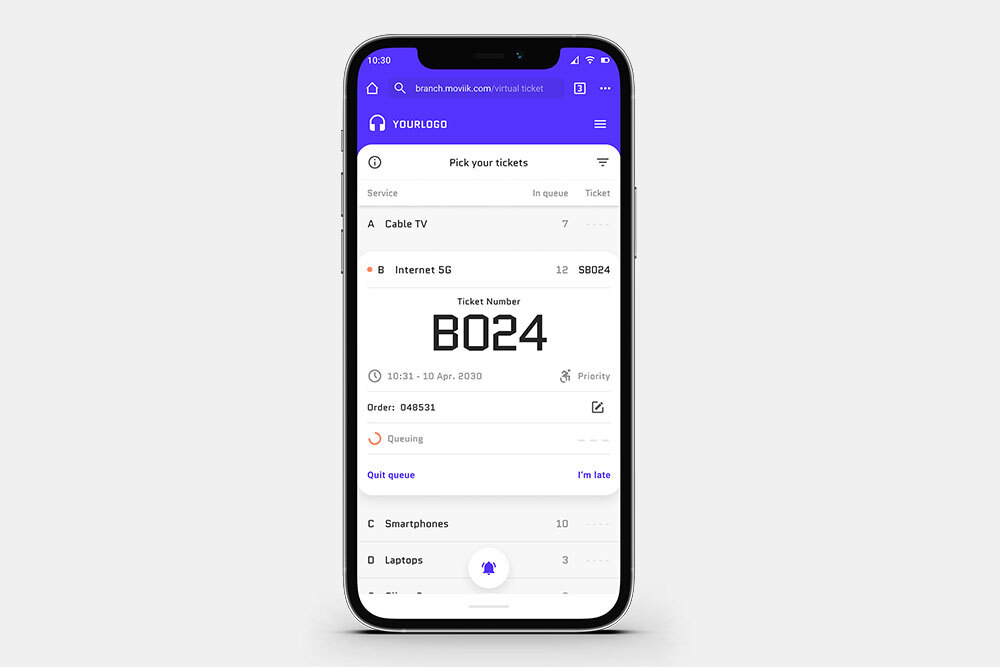
QR & SMS Entry

Join the queue instantly by scanning a QR code or receiving an SMS link — no app download needed.
Real-Time Notifications

Real-Time Notifications

Get notified when your turn is near, keeping customers calm, informed, and ready to be served.
Delay Your Turn

Delay Your Turn

Easily postpone your ticket without losing your spot — perfect for flexible, stress-free waiting.
Priority & Service Logic

Priority & Service Logic

Define priorities and organize services so every queue runs smoothly and efficiently.

Smart features for modern queueing

Make queueing simple with tools that keep customers connected, informed, and in control — from the moment they join the queue until it’s their turn to be served.
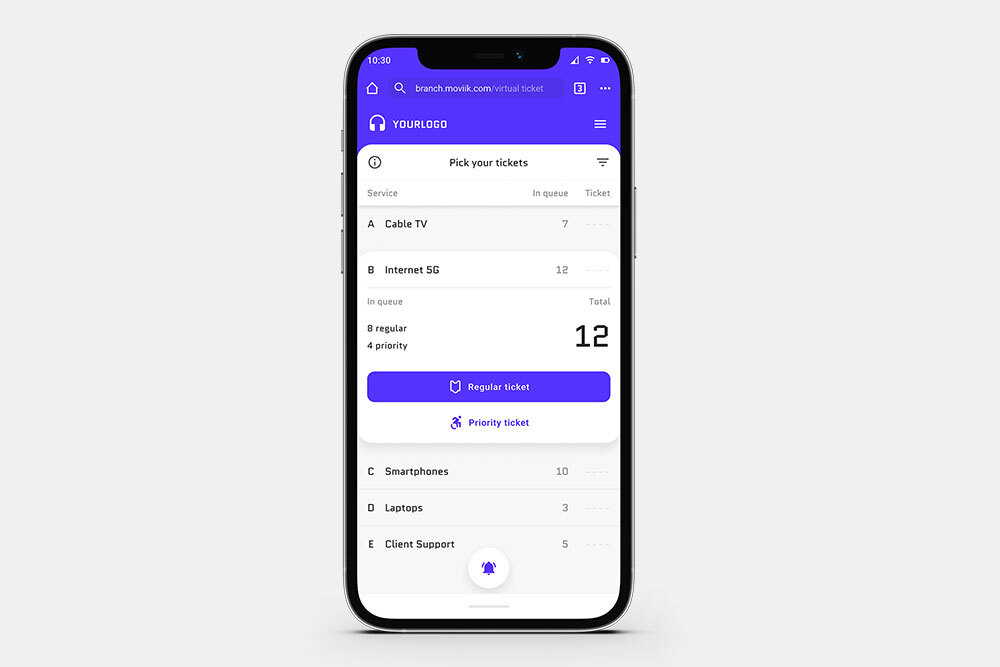
QR & SMS Entry

QR & SMS Entry

Join the queue instantly by scanning a QR code or receiving an SMS link — no app download needed.
Real-Time Notifications

Real-Time Notifications

Get notified when your turn is near, keeping customers calm, informed, and ready to be served.
Delay Your Turn

Delay Your Turn

Easily postpone your ticket without losing your spot — perfect for flexible, stress-free waiting.
Priority & Service Logic

Priority & Service Logic

Define priorities and organize services so every queue runs smoothly and efficiently.

Smarter queue logic for better flow

Behind every digital ticket, there’s intelligent queue logic that helps staff serve faster and more fairly.

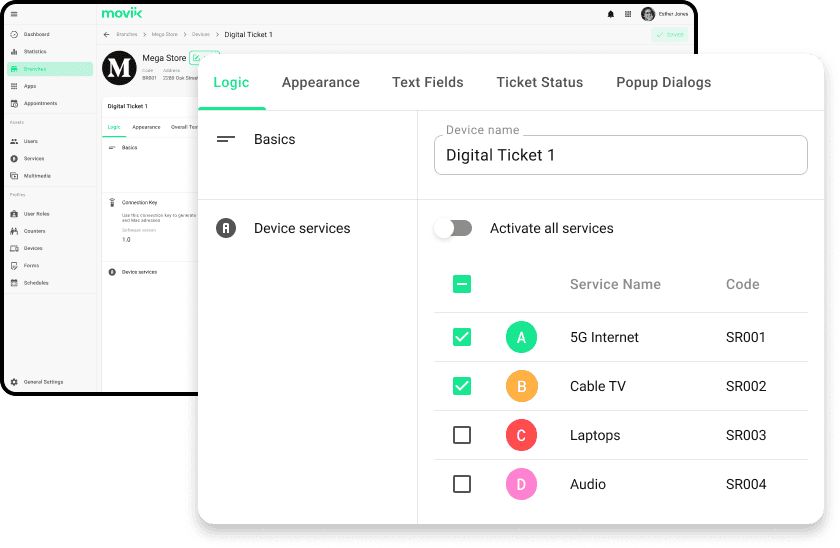
Moviik lets you define service priorities, manage ticket rules, and customize the queue flow for any type of operation — all in just a few clicks.
Moviik lets you define service priorities, manage ticket rules, and customize the queue flow for any type of operation

Smarter queue logic for better flow

Behind every digital ticket, there’s intelligent queue logic that helps staff serve faster and more fairly.

Moviik lets you define service priorities, manage ticket rules, and customize the queue flow for any type of operation — all in just a few clicks.
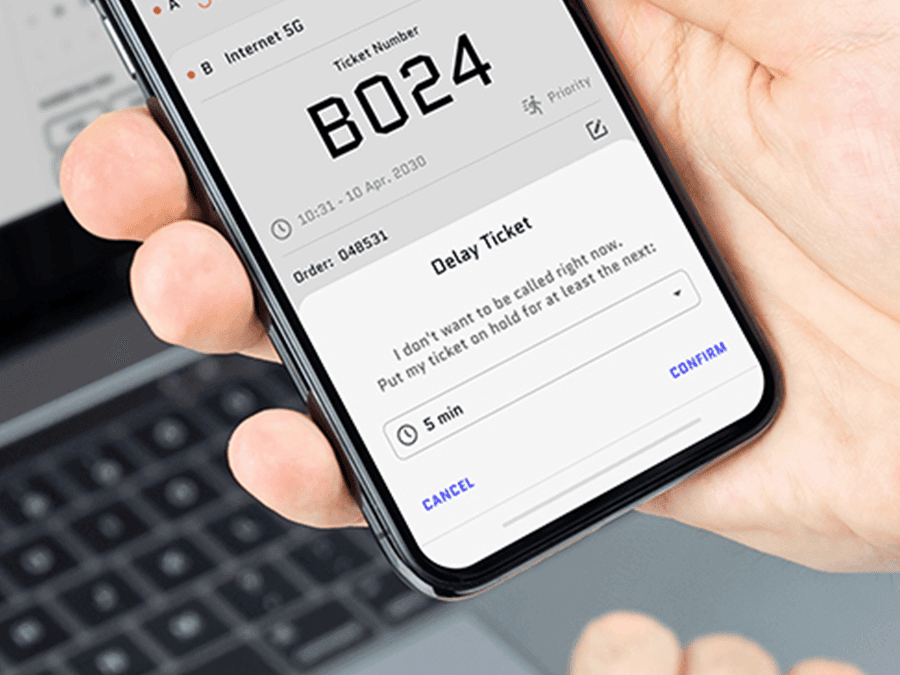
Customer delaying their digital ticket on a smartphone app.

Customers can delay a ticket and keep their spot
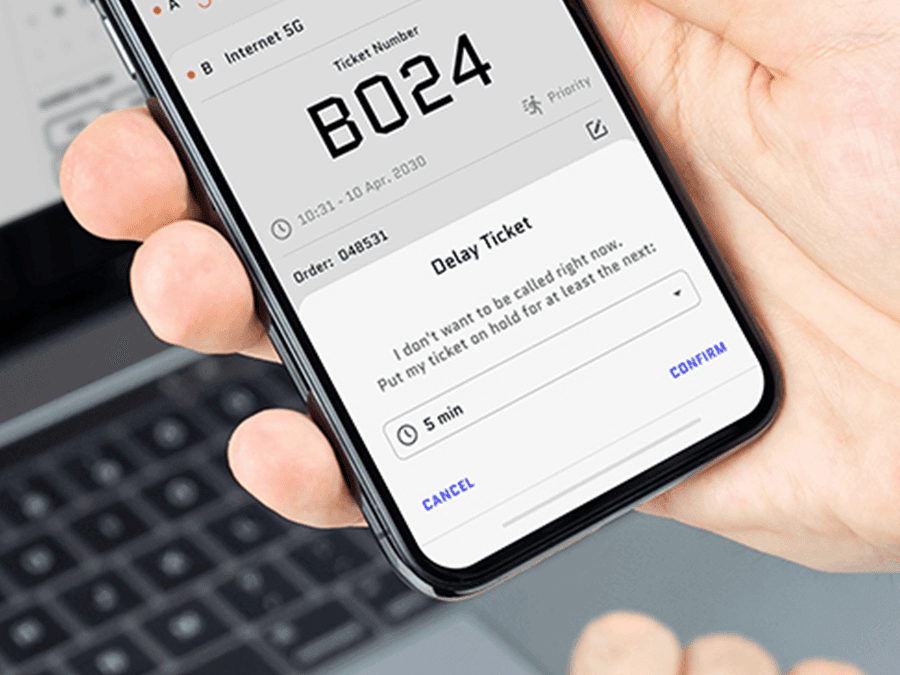
Customers can postpone their ticket multiple times without losing their place in line, giving them flexibility to manage their day.

This reduces stress, keeps visitors informed, and helps your team maintain smooth, predictable queues, while improving the customer experience and operational efficiency.
Customer delaying their digital ticket on a smartphone app.

Customers can delay a ticket and keep their spot

Customers can postpone their ticket multiple times without losing their place in line, giving them flexibility to manage their day.

This reduces stress, keeps visitors informed, and helps your team maintain smooth, predictable queues, while improving the customer experience and operational efficiency.

Works with any device, printer, or ticket dispenser

Moviik Digital Ticket is fully flexible and works with your existing setup. Whether you use a tablet, smartphone, or desktop, any internet-enabled device with a browser can run the web app. 


It also integrates seamlessly with any ticket printer or dispenser, so you don’t need to replace your current hardware.
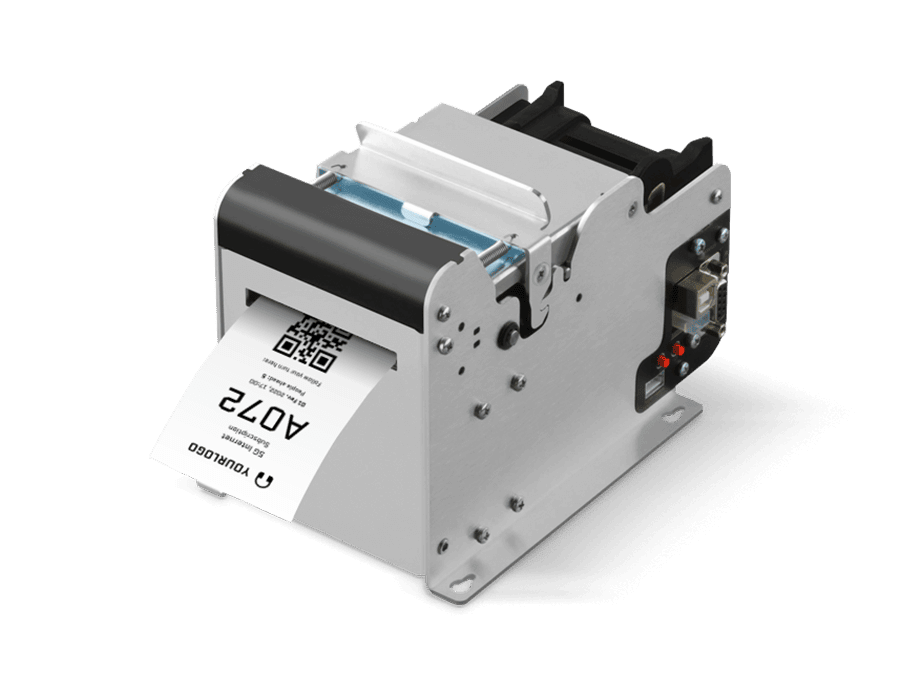
Moviik lets you define service priorities, manage ticket rules, and customize the queue flow for any type of operation

Works with any device, printer, or ticket dispenser

Moviik Digital Ticket is fully flexible and works with your existing setup. Whether you use a tablet, smartphone, or desktop, any internet-enabled device with a browser can run the web app. 


It also integrates seamlessly with any ticket printer or dispenser, so you don’t need to replace your current hardware.

Customize your digital queueing experience

Every brand is unique, and your queueing experience should be too.
Customize layouts, colors, messages, and service flows using Moviik’s intuitive drag-and-drop editor — no coding required.
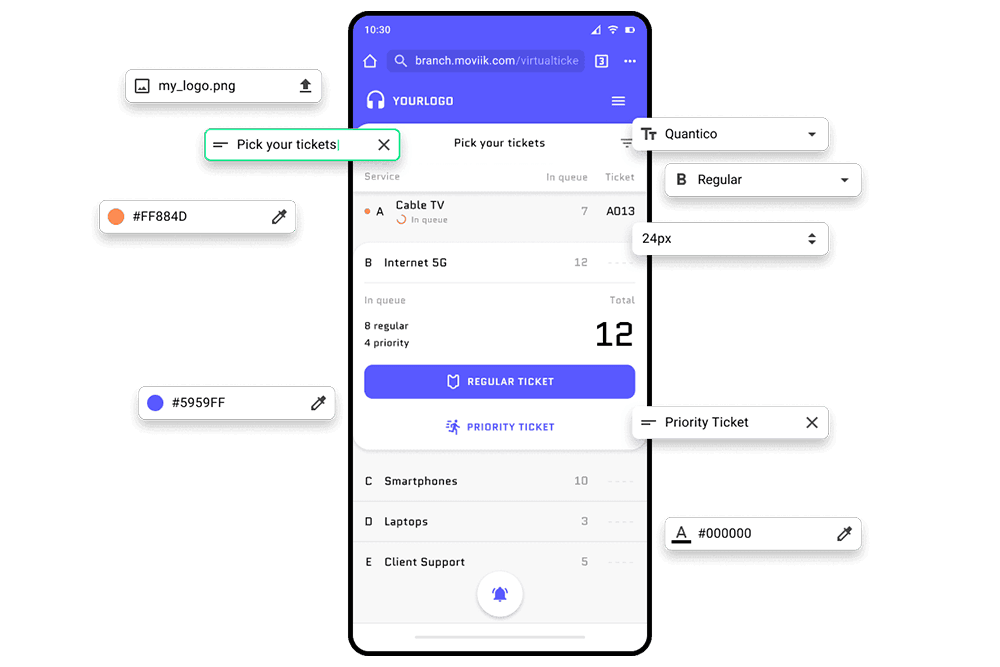
Customize your digital queueing experience
From ticket layout to kiosk screen, every element can be tailored to your brand and service flow.

Customize your digital queueing experience

Every brand is unique, and your queueing experience should be too.
Customize layouts, colors, messages, and service flows using Moviik’s intuitive drag-and-drop editor — no coding required.
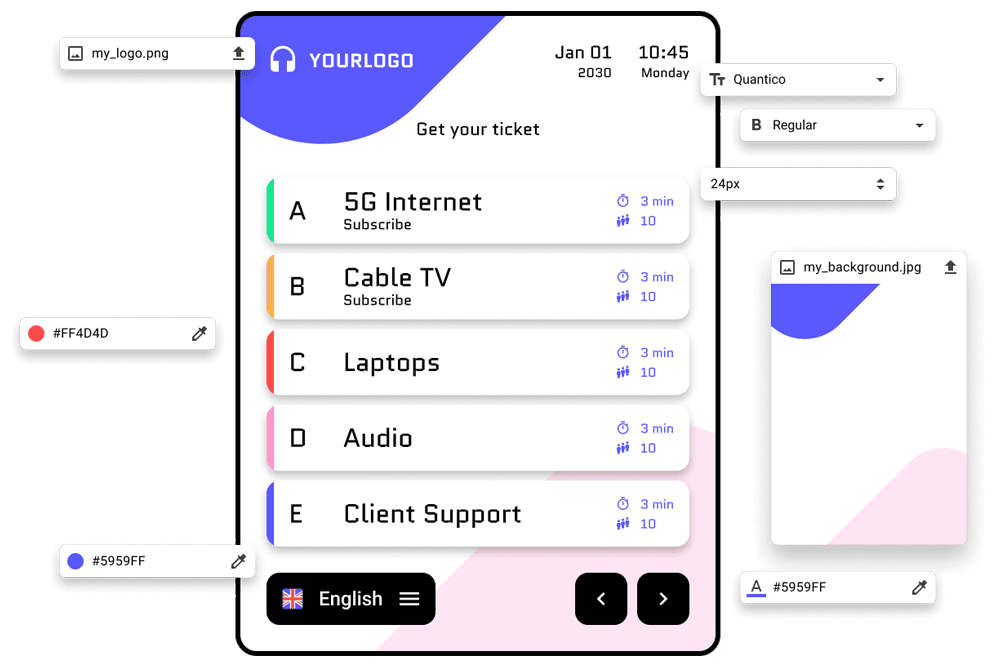
Customize your digital queueing experience
From ticket layout to kiosk screen, every element can be tailored to your brand and service flow.

Benefits for your staff

Digital Ticket doesn’t just improve the visitor experience, it also helps your team work with greater clarity, less stress, and more control over the queue.

Less pressure during
peak hours

With fewer customers waiting physically in line, staff can focus on serving instead of managing crowd flow.

Fewer
interruptions

Customers receive real-time updates on their phones, reducing repetitive “how many people are ahead of me?” questions.

Clearer queue
visibility

Service logic, priorities, and real-time status allow staff to stay fully aligned, informed, and organized throughout the day.

Smoother service
handovers

Digital check-ins make it easier for teams to coordinate seamlessly and keep the queue moving efficiently at all times.

Benefits for your staff

Digital Ticket doesn’t just improve the visitor experience, it also helps your team work with greater clarity, less stress, and more control over the queue.

Less pressure during
peak hours

With fewer customers waiting physically in line, staff can focus on serving instead of managing crowd flow.

Fewer
interruptions

Customers receive real-time updates on their phones, reducing repetitive “how many people are ahead of me?” questions.

Clearer queue
visibility

Service logic, priorities, and real-time status allow staff to stay fully aligned, informed, and organized throughout the day.

Smoother service
handovers

Digital check-ins make it easier for teams to coordinate seamlessly and keep the queue moving efficiently at all times.

Part of the Moviik Platform

Built as part of an integrated queue management ecosystem, Digital Ticket gives staff complete control without switching between tools.

Counter is one of the key applications within the Moviik Queue Management Platform.

Digital Ticket is one of the key applications within the Moviik Queue Management Platform.

It works seamlessly with other modules like Paper TicketCounter, and Signage Player, all integrated through the Backoffice, ensuring that every stage of the customer journey — from check-in to service — runs in perfect sync.


With all data connected through a single cloud platform, staff and managers share the same real-time view of queues, performance, and customer flow, enabling faster decisions and a better service experience.

Part of the Moviik Platform

Built as part of an integrated queue management ecosystem, Digital Ticket gives staff complete control without switching between tools.

Counter is one of the key applications within the Moviik Queue Management Platform.

Digital Ticket is one of the key applications within the Moviik Queue Management Platform.

It works seamlessly with other modules like Paper TicketCounter, and Signage Player, all integrated through the Backoffice, ensuring that every stage of the customer journey — from check-in to service — runs in perfect sync.

With all data connected through a single cloud platform, staff and managers share the same real-time view of queues, performance, and customer flow, enabling faster decisions and a better service experience.

FAQ

Everything you need to know about using Digital Ticket with Moviik’s queue management system.

What is Moviik Digital Ticket?
Moviik Digital Ticket is a cloud-based web app that lets customers join the queue from their smartphone. They can see their position in real time, delay their turn if needed, and only return when it’s their turn — creating a stress-free, flexible experience for both customers and staff.

How do customers access the Digital Ticket?
Customers can join the queue instantly using a QR code or by receiving a direct link via SMS. No app download or installation is required, and it works on any smartphone or mobile device.

Can customers delay their ticket?
Yes. Customers can postpone their ticket multiple times without losing their place in the queue, giving them full control of their waiting experience while keeping operations smooth for staff.

Does Moviik Digital Ticket provide notifications?
Yes. Customers receive real-time alerts via the web app or SMS when their turn is approaching, keeping them informed and reducing uncertainty while waiting.

How does the system handle priority tickets?
Businesses can set priority tickets and define service rules in the backoffice. The Digital Ticket system automatically follows this logic, ensuring queues flow efficiently and important visitors are served according to your rules.

Is the Digital Ticket system secure and GDPR compliant?
Yes. All data is encrypted, anonymous, and handled according to GDPR standards. No personal data is stored, ensuring full privacy for customers.

Can the Digital Ticket be customized for my brand?
Absolutely. You can customize the layout, colors, content, and language of the web app to match your brand identity and communication style, creating a professional and consistent experience.

What industries benefit most from Digital Ticket?
Moviik Digital Ticket works well in retail, telecom, banking, healthcare, public services, transportation, and high-traffic venues. It improves queue management, reduces wait times, and enhances customer satisfaction in any environment.

Does Digital Ticket Can Moviik Digital Ticket be used with any device or ticket dispenser?
Yes. Digital Ticket works with any internet-enabled device that has a browser, including tablets, smartphones, and desktop screens. It can also be used alongside existing ticket dispensers, making it flexible for any queue setup.

FAQ

Everything you need to know about using Digital Ticket with Moviik’s queue management system.

What is Moviik Digital Ticket?
Moviik Digital Ticket is a cloud-based web app that lets customers join the queue from their smartphone. They can see their position in real time, delay their turn if needed, and only return when it’s their turn — creating a stress-free, flexible experience for both customers and staff.

How do customers access the Digital Ticket?
Customers can join the queue instantly using a QR code or by receiving a direct link via SMS. No app download or installation is required, and it works on any smartphone or mobile device.

Can customers delay their ticket?
Yes. Customers can postpone their ticket multiple times without losing their place in the queue, giving them full control of their waiting experience while keeping operations smooth for staff.

Does Moviik Digital Ticket provide notifications?
Yes. Customers receive real-time alerts via the web app or SMS when their turn is approaching, keeping them informed and reducing uncertainty while waiting.

How does the system handle priority tickets?
Businesses can set priority tickets and define service rules in the backoffice. The Digital Ticket system automatically follows this logic, ensuring queues flow efficiently and important visitors are served according to your rules.

Is the Digital Ticket system secure and GDPR compliant?
Yes. All data is encrypted, anonymous, and handled according to GDPR standards. No personal data is stored, ensuring full privacy for customers.

Can the Digital Ticket be customized for my brand?
Absolutely. You can customize the layout, colors, content, and language of the web app to match your brand identity and communication style, creating a professional and consistent experience.

What industries benefit most from Digital Ticket?
Moviik Digital Ticket works well in retail, telecom, banking, healthcare, public services, transportation, and high-traffic venues. It improves queue management, reduces wait times, and enhances customer satisfaction in any environment.

Does Digital Ticket Can Moviik Digital Ticket be used with any device or ticket dispenser?
Yes. Digital Ticket works with any internet-enabled device that has a browser, including tablets, smartphones, and desktop screens. It can also be used alongside existing ticket dispensers, making it flexible for any queue setup.

Moviik Logo

Get Started with Moviik Queue Solutions

Discover how Counter and the Moviik Platform can help your team manage queues more efficiently and deliver better service every day.
Let's talk
Added to cart
- There was an error adding to cart. Please try again.
Quantity updated
- An error occurred. Please try again later.
Deleted from cart
- Can't delete this product from the cart at the moment. Please try again later.